How to Keep the Same Character Consistent Across AI Video Shots
Why AI video tools generate different faces every shot, what the common workarounds are, and how reference sheets solve the problem for good.
Cast Team
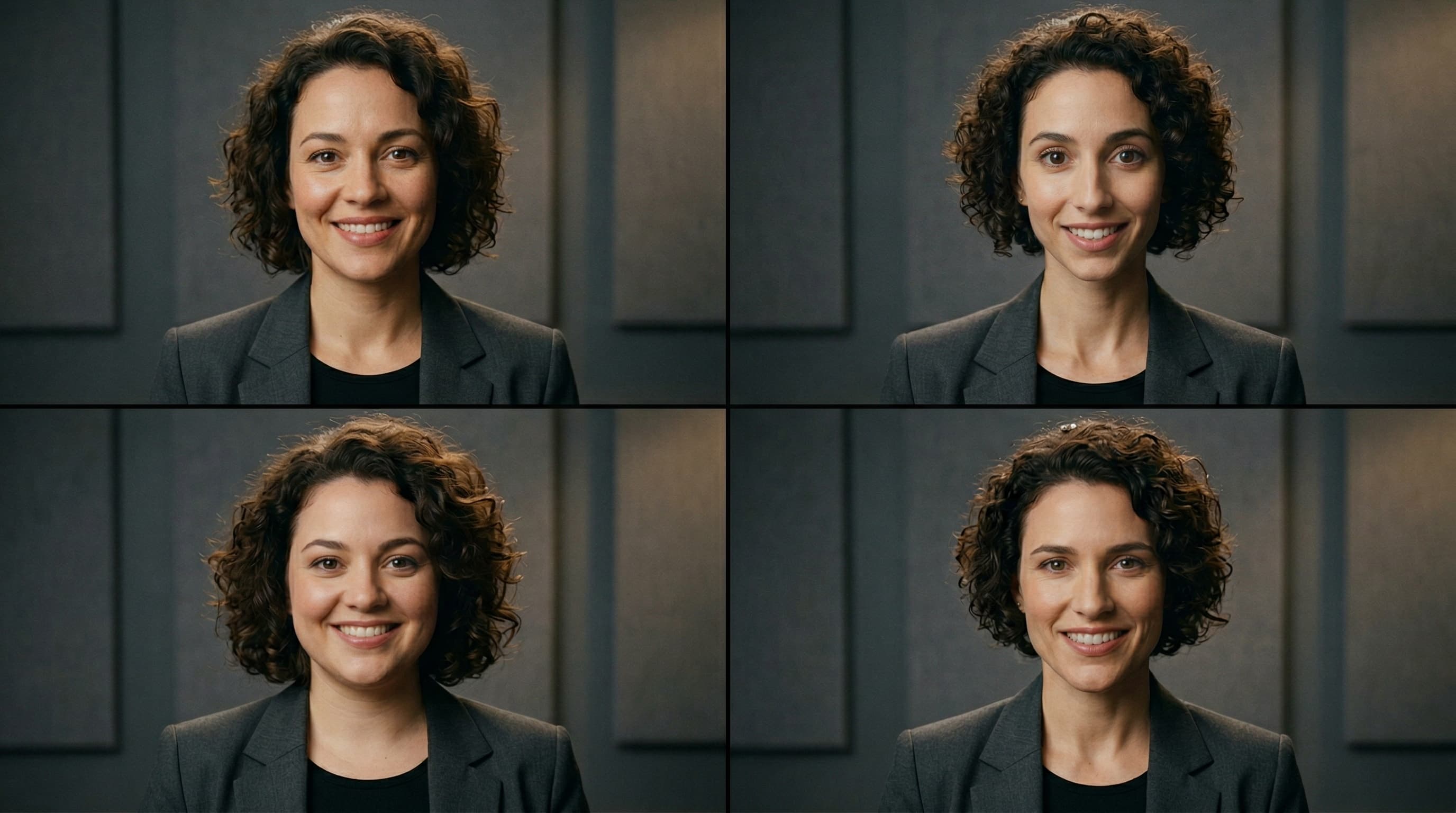
Same prompt, four different people. This is the core problem with AI-generated characters.
If you've ever tried to make a short film, ad, or social media video using AI tools like Kling, Runway, or Veo, you've hit this wall: your character looks like a different person in every shot.
Same prompt. Same description. Same seed. Eight different strangers wearing similar outfits. Character consistency is the single biggest unsolved problem in AI video production — and until recently, the only workarounds required serious technical skill.
Why AI video tools can't keep characters consistent
AI image and video generators are trained to create single images or short clips from text prompts. They don't have memory. Each generation starts from scratch.
When you type “a 30-year-old Korean man in a navy blazer walking down a street,” the model generates a plausible interpretation. Ask it again and you get a different plausible interpretation — different jawline, different hair part, different skin tone. Both are valid. Neither is the same person.
The result in your video:
Close-up shot
Wide shot
Walking shot
Side angle
Your 60-second video now stars four strangers who vaguely look alike.
The common workarounds (and why they fall short)
Seed locking
Some generators let you lock the random seed to reproduce similar results. This helps with minor variations but breaks completely when you change the camera angle, pose, or framing. A front-facing seed doesn't produce a consistent side profile.
LoRA training
You can train a lightweight model on 10-20 photos of a face to teach the AI a specific identity. This works well but requires: a real person's photos (which introduces likeness and copyright risk), ML expertise, and hours of compute time. Not viable for most production timelines.
ControlNet / IP-Adapter
Tools like ControlNet and IP-Adapter let you pass a reference face to guide generation. Results vary wildly — the face often drifts, especially in full-body or profile shots. Setup requires ComfyUI or Automatic1111, which have steep learning curves.
Frame-by-frame editing
Some creators generate each frame separately and manually fix inconsistencies in Photoshop. This is painstaking, expensive, and defeats the purpose of using AI in the first place.
The reference sheet approach
Professional animation studios solved this problem decades ago with character reference sheets — a single document showing a character from every angle. Animators reference the sheet to keep the character consistent across hundreds of frames.
The same principle works for AI video. Instead of describing your character in text (which is inherently ambiguous), you provide the AI with an image of your character as the starting frame. But one image isn't enough — you need the character from every angle.
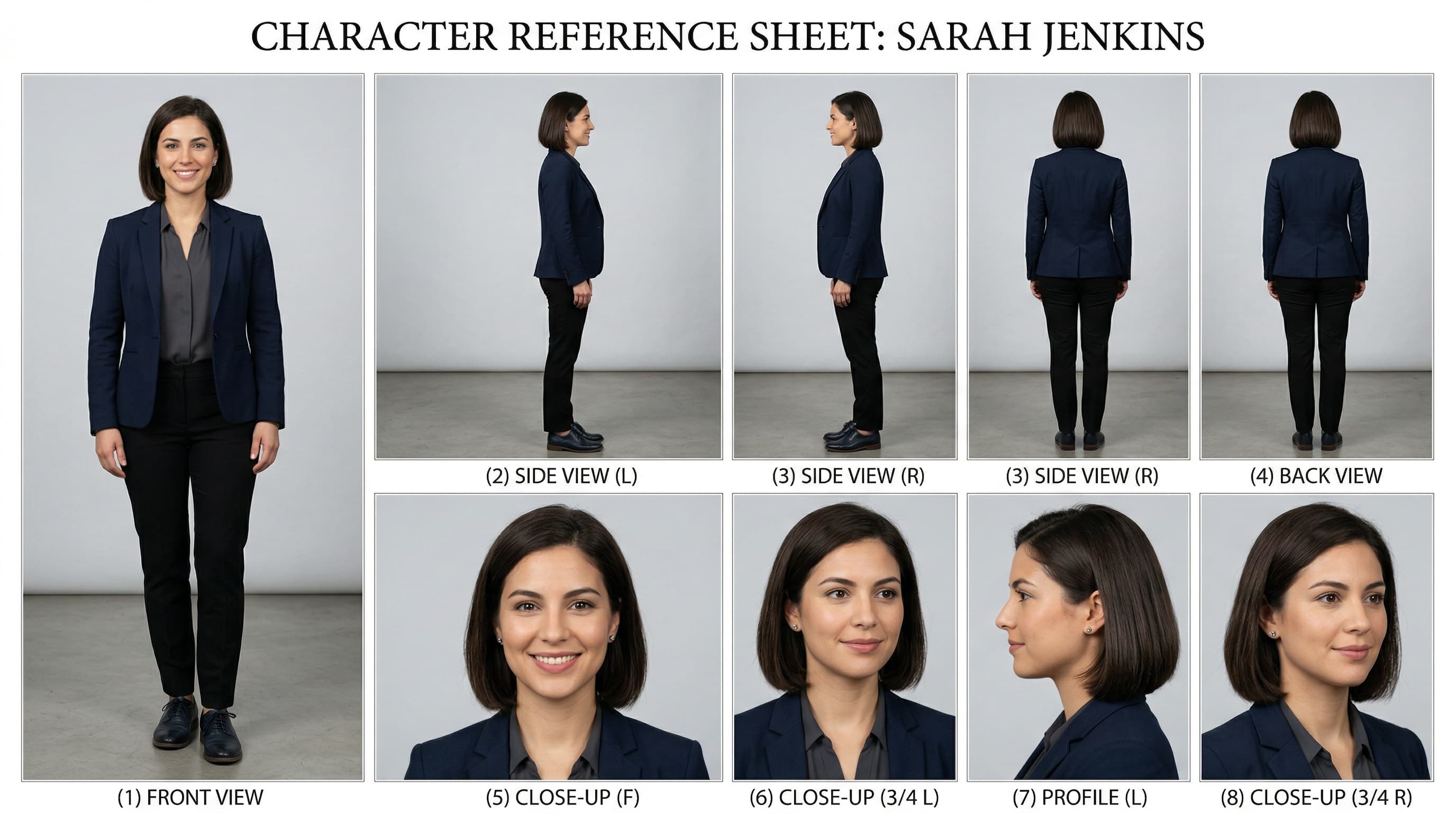
An 8-panel reference sheet: 4 full-body angles + 4 close-up angles = consistent identity from every direction.
What's in an 8-panel reference sheet:
Full-body (4 panels)
- Front view
- Left side
- Right side
- Back view
Close-up (4 panels)
- Front face
- 3/4 right
- 3/4 left
- Back of head
How to use a reference sheet in Kling, Runway, or Veo
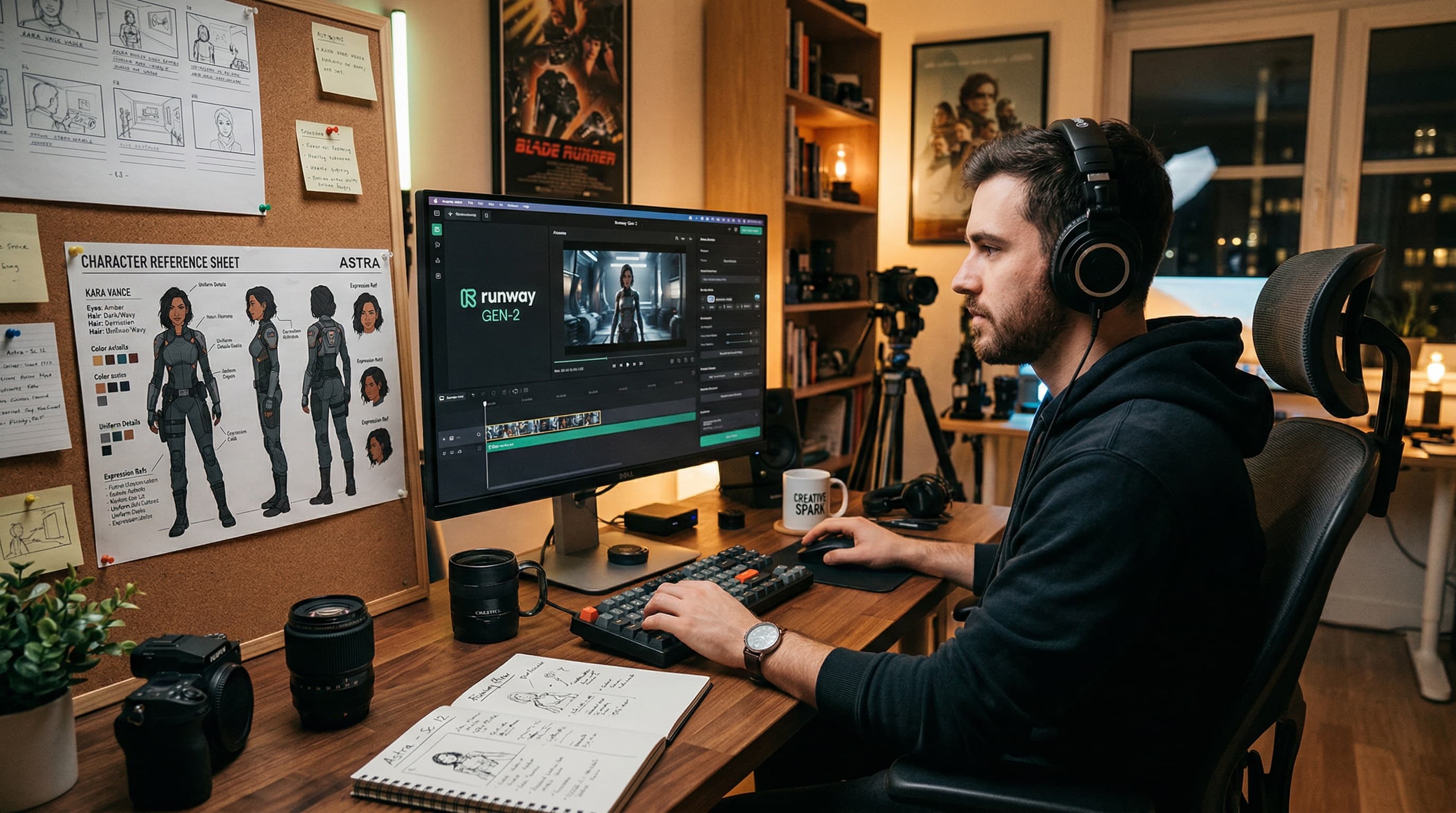
The workflow: reference sheet on the left, AI video tool on the right. Pick an angle, upload, animate.
Pick the angle you need
Walking-toward-camera shot? Use the front-facing full-body panel. Side profile conversation? Use the left or right side panel.
Crop that panel
Extract the specific panel from the reference sheet as a standalone image.
Upload as starting frame
Use Kling's "Image to Video", Runway's "Image Input", or Veo's reference image upload.
Write your motion prompt
"The man walks confidently down a busy sidewalk" — the tool animates from your reference image, preserving the character's appearance.
The result: your character's face, hair, clothing, and proportions stay locked across every shot because the AI is always starting from the same visual source, just from different angles.
Where to get reference sheets
You can try to create reference sheets manually using Midjourney or Flux, but the challenge is getting all 8 panels to look like the same person. AI generators struggle with multi-panel consistency just as much as single-shot consistency — it's the same underlying problem.
Cast is an AI character casting agency that solves this. Every character comes with a 4K 8-panel reference sheet generated alongside their profile photo, ensuring consistent identity across all angles. Browse 100+ existing characters or describe your own — Cast generates them in about 90 seconds.
Every Cast character is 100% AI-generated with no real-person training data — no likeness risk, no model releases needed — a critical consideration for commercial productions.
Comparison
| Approach | Consistency | Copyright safe |
|---|---|---|
| Text prompts only | Poor | Yes |
| Seed locking | Fair | Yes |
| LoRA training | Good | Risky |
| ControlNet / IP-Adapter | Fair-Good | Depends |
| Reference sheets (Cast) | Excellent | Yes |
Character consistency in AI video isn't a model problem — it's an input problem.
Give the AI a clear visual reference from every angle, and it produces consistent results. Reference sheets are the simplest, most production-ready way to do that today.
Ready to try it?
Browse 100+ AI characters or create your own with a full 8-panel reference sheet.